
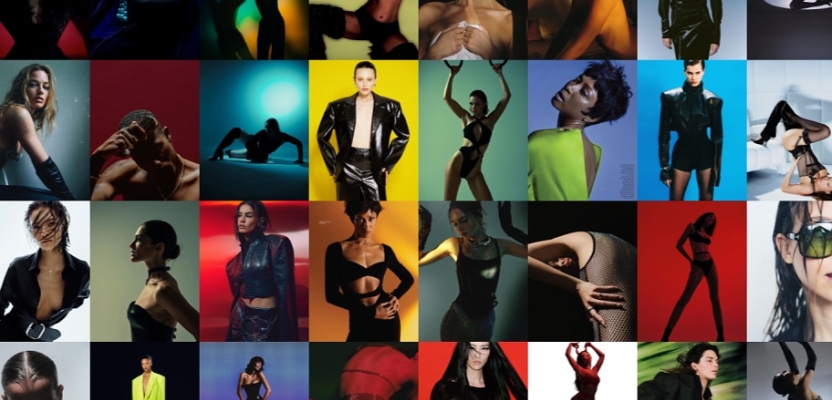

The creative landscape in 2025 is vastly different from the days of lugging an A2 portfolio around Soho. Remote and hybrid working, global talent pools and rapid advances in technology mean your digital presence is your passport. Employers expect you to be familiar with modern tools and to follow ethical, inclusive practices.
A portfolio is no longer just a gallery of finished pieces; it’s a multi‑layered narrative that reveals your thinking, process and professionalism. The internet has erased geographical boundaries, so an art director in Mexico can find your work just as easily as a recruiter in London. In this environment, a well‑crafted digital portfolio is essential to stand out.
Portfolio channels in 2025
The web now offers multiple ways to showcase your work:
- Dedicated portfolio platforms: Sites such as Creativepool remain valuable for networking and job hunting. They often have templated layouts with limited customisation but provide broad reach and free hosting.
- Specialised portfolio builders and blogs: Services like WordPress, Squarespace or Webflow let you customise your portfolio’s look and feel without heavy coding. Many integrate native video galleries and support Figma or GitHub embeds.
- Self‑hosted sites: Owning your site gives you the most control and signals professionalism. GitHub Pages is a popular option because it provides free static hosting and a custom domain. It’s ideal for web developers and UI/UX designers but lacks backend/database support. so interactive content should be embedded using third‑party services.
- Code & design repositories: Public GitHub repositories or gists allow visitors to inspect your code. To embed a gist, you can insert a script tag referencing the gist’s ID; this displays syntax‑highlighted code and maintains version history. Never include confidential credentials or personal data because anyone with the link can see a secret gist.
- Figma/Adobe XD prototypes: Modern portfolios often embed live prototypes. In Figma you click Share, enable “anyone with the link can view,” and copy the embed code or iframe; when pasted into your site it shows hotspots and interactive flows. This lets employers experience your design without leaving the page.
Adding a motion reel
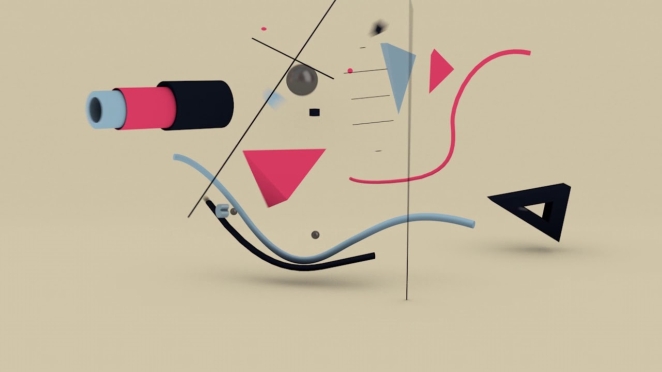
Video reels (showreels) have become indispensable for motion, animation, and video artists. A reel should function as your visual business card. Keep it between 90 seconds and two minutes, start with your name or logo, showcase only your best work in a logical sequence, choose music carefully, and end with contact details. Tailor your reel to the type of work you want and ensure that the audio and footage flow smoothly.
Tell compelling case‑study stories
Static snapshots of final screens no longer suffice. Effective portfolios tell stories. Each project should read like a mini‑case study: start with the problem (the brief), explain your research and design process, show sketches and prototypes, and end with the solution and measurable results. Arrange your case studies to highlight your growth or to emphasise specific skills; conclude with reflections and what you learned. Storytelling helps viewers remember you and understand how you think.
Disclosing AI and staying ethical

Samuel Carrillo
Generative AI tools such as Figma AI or Midjourney are now part of many workflows, but designers are expected to be transparent about their use. Industry guidance emphasises fairness, privacy, and transparency when using AI; over 75 % of consumers worry about misinformation. Treat AI like stock imagery: disclose when it’s used, ensure that AI‑generated assets follow the brief, and do not rely on AI to create personas or research without validation. Always anchor your decisions in genuine user research.
Respecting NDAs and client confidentiality
Non‑disclosure agreements (NDAs) legally require you to keep sensitive information confidential. If a contract restricts what you can show, ask your employer whether you may share a redacted version or anonymised screens. If permission is denied, discuss projects in general terms: describe the problem, your approach and lessons learned without naming clients or showing proprietary content. Confidential information includes trade secrets, customer data, technical details and financial information, never publish it. Ignoring NDAs can lead to lawsuits or damaged reputations.
Designing for accessibility and inclusion
Zara Picken
Accessibility is not just a legal requirement; it broadens your audience and improves user experience. Laws such as the ADA and EAA require digital content to be accessible. Inclusive design benefits everyone: features like captions, transcripts, proper colour contrast and keyboard navigation make interfaces easier to use.
Follow best practices:
- Use alt‑text: All images need a text alternative so screen readers can convey their meaning. Provide brief descriptions for informative images, write functional descriptions for icons used as buttons and leave decorative images with empty alt attributes.
- Maintain proper colour contrast and responsive layouts: Good contrast and flexible design improve readability and cater to different devices.
- ARIA labels and semantic HTML: Label navigation and interactive elements so assistive technologies can interpret your site.
- Captions and transcripts: Provide captions for videos and transcripts for audio; over 15 % of the world’s population has a disability.
- Catering for neurodiversity: Offer dark mode, adjustable font sizes and clear headings; designers are increasingly recognising neurodiverse needs.
Accessibility should be considered from the start of your project and tested regularly with tools such as WCAG checkers.
Privacy and legal considerations
If your portfolio collects personal data (contact forms, analytics cookies), you must provide a privacy policy. Under laws like the GDPR and CCPA/CPRA, you must inform users about the data you collect, how it’s processed, stored and shared. Non‑compliance can lead to fines up to €20 million or 4 % of global turnover. Ensure your portfolio site uses SSL, minimises data collection, and lists your contact details and legal bases for processing.
How to create a standout Creativepool profile
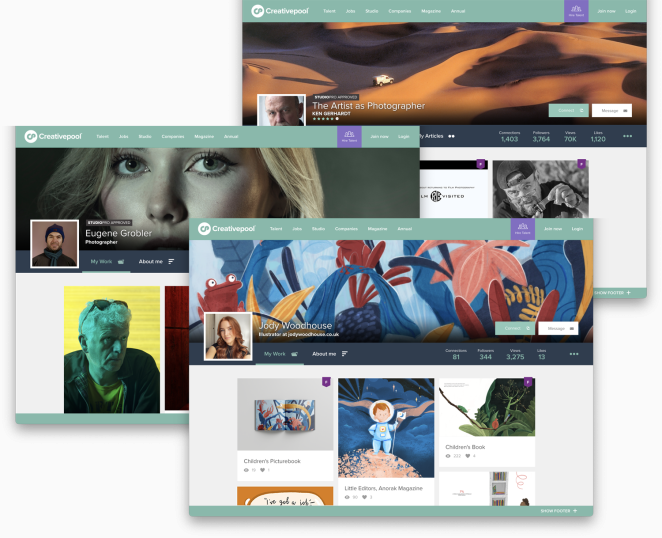
A polished portfolio and a strong profile on Creativepool can open doors to job opportunities and collaborations. Creativepool profiles act as mini websites that combine your résumé, portfolio and social network. Here’s how to set yours up effectively:
- Register and access Profile Settings – After joining Creativepool, click your profile picture in the top‑right corner (or use the hamburger menu on mobile) and select Profile Settings. This page shows a completeness indicator to guide you through missing sections.
- Craft your bio – Your About Me section is the most important part of your profile. Use it to tell your story: who you are, what you specialise in, your passions and the value you bring. Look at the Top 25 profiles on Creativepool for inspiration. but write in your own voice.
- Add your experience and CV – In the Your Experience section you can upload your CV. By default it’s only accessible to mutual connections. Use this space to add skills, sector experience, awards, clients and associations. Keeping your experience current increases your visibility in searches.
- Choose the right job titles and keywords – Under Work Settings, select up to three job titles and specify your preferred contract type and experience level. Pick the role you most want to be known for; your ranking is based on your first job title. Use specific keywords (e.g., “digital designer,” “UX researcher”) rather than broad categories to improve search visibility.
- Set up job alerts and search criteria – Creativepool allows you to receive job alerts daily, weekly or instantly. When filling the profile search criteria, avoid “all jobs” or “all locations”; pick specific roles and locations to target opportunities. Choose a narrow salary range so employers understand your expectations.
- Upload a professional photo – People are more likely to engage with profiles that have a face behind them. Upload a profile picture that represents your personality or profession; illustrators often use caricatures, filmmakers pose with cameras. Add a cover image for extra colour.
- Show your work – Start by uploading a few of your best projects; aim for at least four. Each project should include visuals, a case‑study narrative and, if applicable, motion reels or Figma/GitHub embeds. You can ask clients to leave reviews when adding a project.
- Ask for reviews – Reviews provide social proof. After completing client work, invite them to leave a review; it appears next to your profile picture and signals reliability.
- Be active and engage – Connect with peers and companies, like and comment on others’ work and update your profile regularly. Creativepool’s ranking algorithm considers how recently you’ve logged in and your activity level.
- Keep details updated – Revisit your profile periodically to refine keywords, add new projects and adjust your job preferences. Up‑to‑date information increases your chances of being found by recruiters.
Key Tips for a Standout Portfolio
A standout portfolio focuses on usability and clarity.
Keep your site or presentation simple to navigate, with consistent typography and responsive layouts, because employers form impressions quickly. Indeed, around 94 % of first impressions come from design quality.
Curate your work by featuring only the projects you’re most proud of and updating them regularly; viewers prefer quality over quantity and want to see pieces relevant to the roles you’re targeting.
Always provide context by explaining the brief, your process and the outcome, so employers understand how you think and solve problems.
Ensure that all links and embeds work as nothing undermines credibility like broken links and linking to live sites where possible is more compelling than static screenshots.
Make it easy to get in touch by including a visible email address or simple contact form rather than intrusive signup forms; you want to encourage outreach, not create friction.
Finally, promote your portfolio proactively by adding the link to your email signature and social profiles, because increased visibility drives opportunities.
Conclusion

A digital portfolio in 2025 is an evolving blend of curated visuals, narrative case studies, interactive prototypes, code samples, motion reels and ethical transparency. By respecting NDAs, prioritising accessibility and privacy, and embracing new tools thoughtfully, you can create a portfolio that not only showcases your best work but also demonstrates professionalism and empathy.




Jeffrey Norman September 22nd, 2025, at noon
Hi, I really appreciate this article about creating the perfect portfolio!I am currently struggling with updating my own website portfolio and I was wondering, what examples
should I look at for inspiration?
Any suggestions would be greatly appreciated!
Thank you!