


A great explainer video can make a complicated product feel simple, turn an unfamiliar service into something people immediately understand, or help a business communicate an idea that would otherwise take several pages of text to explain. But knowing how to make an explainer video that actually achieves those things involves considerably more than finding an animation studio and asking it to make something that looks impressive.
The best explainer videos start long before anybody opens their animation software. They begin with a clear understanding of the audience, a focused message, a realistic budget and a creative brief that gives the production team something meaningful to work with. Get those foundations right and you stand a much better chance of creating something people remember.
Whether you're commissioning your first animated explainer or looking to improve an existing approach, these nine tips will help you prepare your project, find the right creative partners and get more value from the finished video.
1. Define the Purpose of Your Explainer Video Before You Start
Verstiuk Production
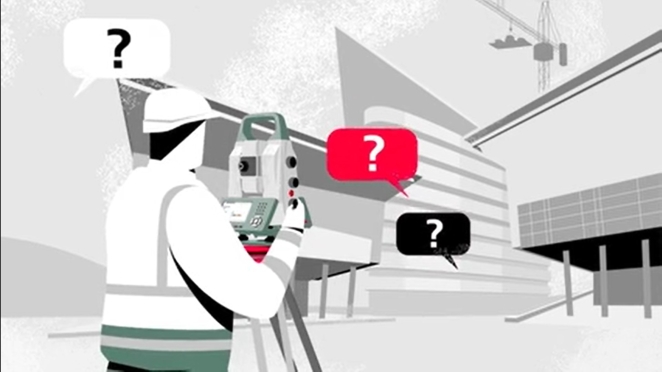
Every successful explainer video starts with one deceptively simple question. What exactly do you need it to achieve?
Are you introducing a new product, helping potential customers understand a complicated service, explaining a technical concept to investors or creating training materials for employees? Each situation requires a different creative approach, and the decisions you make at this stage will influence everything from animation style and scripting to length and distribution.
As Adrienn Major, founder of POD LDN, advises, "the format and content of a film you're putting out into the wilds of social media should be very different to something you're creating for staff education or a product page on your website."
A 15-second social media teaser, for example, needs to capture attention almost immediately. A 90-second explainer on a product page has more room to demonstrate features and address specific questions. An internal training animation might prioritise precision and clarity over entertainment.
The important thing is to identify the problem your video needs to solve rather than simply deciding you want a video.
Mark DePace, Chief Creative Officer at Ghost Robot, puts it rather more bluntly: "Before explaining how your product works, figure out what's making someone's life difficult and why they'd give a shit that you can fix it."
It's a useful reminder that audiences generally care more about their own problems than the technical specifications of somebody else's product.
Instead of opening with a list of software features, you might begin by showing someone struggling with the problem your software eliminates. Instead of describing a complex manufacturing process, demonstrate the difference it makes to the finished product.
As explored in Creativepool's guide to simplifying complicated businesses through creativity, companies often struggle to explain themselves because they're too close to their own products and processes. An explainer video offers an opportunity to reverse that relationship.
The clearer you are about what the viewer should understand, feel or do afterwards, the easier every subsequent creative decision becomes.
2. Understand Your Target Audience and the Message They Need to Hear
Sherlock Communications
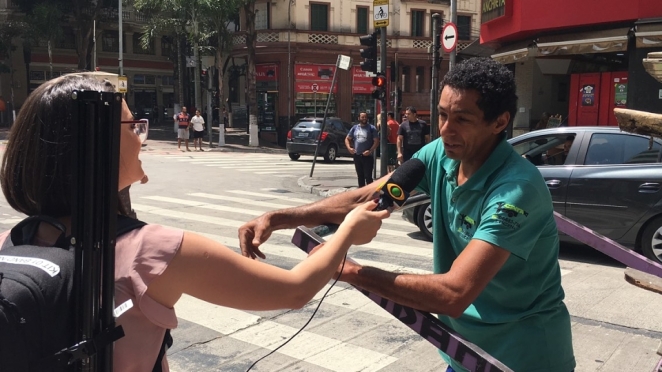
Knowing what you want to say is only half the challenge. You also need to understand who's going to hear it.
An explainer video aimed at experienced software developers will have very different requirements from one introducing a financial service to first-time customers. The former might benefit from technical detail and demonstrations, while the latter will probably need familiar situations, accessible language and a reassuring tone.
As Major emphasises, "you're going to end up with content which is far more effective if you're thinking first about who is going to watch it and why."
Start by considering how much your audience already knows about the subject. What questions are they likely to have? What objections might prevent them from taking the next step? What would genuinely make their lives easier?
For example, an explainer targeting busy executives should probably get to the point quickly, using clear visuals and focusing on business outcomes. A video aimed at younger consumers might allow more playful character animation, humour and personality.
Neither approach is inherently better. The right choice depends on the audience and the message.
Try writing down the three questions your ideal viewer would most likely ask about your product or service. Then consider whether your proposed video answers those questions in an order that makes sense.
Avoid jargon wherever possible, particularly when addressing people unfamiliar with your industry. Technical language might be second nature to your team, but it can quickly alienate someone encountering the subject for the first time.
Remember that your audience doesn't necessarily care how clever your product is. They care about what it can do for them.
3. Develop a Compelling Story and Write Your Explainer Video Script
Narrate
An explainer video is fundamentally a story. It introduces a situation, establishes why something matters and demonstrates how a particular product, service or idea changes things.
That doesn't mean every animation needs characters, conflict and a dramatic conclusion. Some of the best explainers use nothing more than simple shapes, diagrams and a carefully structured voiceover. What matters is that the information unfolds in a way that feels logical and engaging.
A useful starting point is the classic problem, solution and outcome structure.
Establish a situation your audience recognises, introduce the solution and demonstrate what changes as a result. This gives your video a natural progression without overwhelming viewers with unnecessary information.
Creativepool's article on making a good brand film that explains your business explores a similar principle. Effective visual storytelling isn't about cramming every possible message into a film. It's about identifying the central idea and making that idea memorable.
When developing your script, use conversational language rather than treating the voiceover like a corporate presentation. Read it aloud to identify awkward phrases, overly complicated explanations and sentences that sound perfectly reasonable on paper but unnatural when spoken.
It's also worth creating a rough storyboard before the script is finalised.
As Major explains, "A rough storyboard can help you get your thinking across… Nobody's expecting beautiful drawings. It's about showing how you imagine the story unfolding, what the key moments are and which information matters most."
This doesn't require artistic ability. A handful of boxes containing stick figures, arrows and basic descriptions can help establish how each scene might work. You might discover that a complicated paragraph can be replaced with a simple visual demonstration, or that two sections of the script are essentially communicating the same thing.
Finally, time your script. A common mistake is trying to fit ninety seconds of narration into a sixty-second video.
Major recommends that you "record a read-through to check it fits the time available. And leave some breathing room: the animation needs time to do some of the explaining too."
It's an important distinction. Animation is a visual medium, and a constant stream of narration can leave viewers with little opportunity to absorb what's happening on screen.
Don't be afraid of leaving a few seconds for the animation itself to do the talking.
4. Choose the Right Animation Style to Bring Your Story to Life
Superestudio
Animation offers an enormous range of creative possibilities, but the most elaborate option isn't automatically the most effective.
The style should serve your message, reflect your brand identity and remain realistic within your budget.
Traditional 2D animation can be particularly effective for character-led stories and approachable explanations. Motion graphics work well when communicating processes, statistics or abstract concepts, while 3D animation can demonstrate products, environments and mechanisms that would be difficult to capture using conventional filming.
Whiteboard animation remains useful for straightforward educational content, particularly where the emphasis is on explaining a sequence of ideas. Hybrid approaches that combine live action with animated graphics can also work well when you want to introduce real people or physical products.
Before making a decision, look at examples of different techniques and consider why they work.
A playful character-driven animation might be perfect for a children's educational product but feel inappropriate for a serious financial service. Equally, a polished 3D animation could make a product demonstration feel premium while adding unnecessary expense to a relatively simple explanation.
Consider how your existing brand identity will translate into movement. Your colours, typography, illustration style and overall visual personality should provide a starting point rather than being abandoned in favour of whatever animation trend happens to be popular.
You can explore different approaches through the portfolios of motion graphics designers on Creativepool, where you'll find examples of motion design, 2D and 3D animation and visual storytelling across different industries.
Bring a few ideas to your chosen studio, but remain open to alternatives. Experienced animators may suggest a technique you hadn't considered that communicates your message more effectively or makes better use of your budget.
5. Decide on Video Length, Format and Where It Will Be Published
SAND visuals
How long should an explainer video be?
There's no universal answer, although many businesses find that sixty to ninety seconds provides enough time to introduce a problem, explain a solution and communicate a clear next step.
However, the ideal duration depends on the audience, the subject and the platform.
A video embedded on a product page might justify a more detailed explanation, particularly if visitors are already interested in the subject. Social media audiences are generally less committed, meaning a shorter video with a compelling opening may be more appropriate.
A thirty-second LinkedIn advertisement, for example, might focus on one problem and one benefit. A longer website explainer could explore how the solution works in practice.
This is where Major's earlier advice about creating different kinds of films for different audiences becomes particularly relevant. The same story might need to be told in several ways depending on where people encounter it.
It's also important to think about the different formats you'll need.
Your main video might be produced in a horizontal 16:9 format for YouTube and your website, but you may also want square or vertical versions for Instagram, TikTok and other social platforms.
These variations shouldn't be treated as an afterthought.
An animation designed entirely for widescreen viewing may lose important visual information when cropped vertically. Text that looks perfectly readable on a desktop monitor could become almost impossible to follow on a mobile phone.
You should also consider subtitles, captions, accessibility requirements and whether the video needs to work without sound.
If you're planning to use the animation across multiple channels, tell the studio at the briefing stage. Requesting fifteen-second and thirty-second cutdowns, alternative aspect ratios or additional language versions after production has finished can introduce unnecessary costs.
Planning these requirements early gives the creative team more flexibility to design something that works wherever your audience encounters it.
6. Set a Realistic Budget and Understand Explainer Video Production Costs

Nucco
One of the most common questions businesses ask is how much an explainer video should cost.
Unfortunately, there's no single answer because animation projects vary enormously in complexity, creative ambition and production requirements.
According to 2026 research into explainer video pricing, which examined responses from 45 video agencies across the UK, US, Europe and Canada, the average starting price for a thirty-second animated explainer was approximately £2,960.
The research found that the most common entry-price range was between £2,000 and £5,000, although individual quotes varied dramatically, from under £300 to more than £20,000.
These figures are useful as a general reference rather than a definitive pricing guide. The survey compared starting prices for a specific brief, and the cost of your own project will depend on what you're asking the studio to deliver.
A relatively straightforward motion graphics video using existing brand assets may require far less production time than a bespoke character animation involving original illustrations, multiple environments and complex movement.
Other factors include scriptwriting, storyboarding, voiceover talent, sound design, music licensing, revisions and the number of final versions required.
When comparing quotes, make sure you're comparing equivalent services.
One studio might include script development, storyboarding and several revision rounds as standard. Another might provide animation only, charging separately for everything else.
Major recommends being transparent with prospective production partners: "Be upfront about your budget and the actual deadline… Knowing those from the outset means [the studio] can recommend a creative approach you've got the time and money to make."
This is particularly important when you're approaching several studios with the same project.
A good production partner can often suggest a creative approach that delivers the desired result without requiring expensive techniques or unnecessary production complexity. However, they can only make sensible recommendations if they understand the constraints they're working within.
It also helps to establish a contingency for unexpected changes, particularly if several stakeholders will need to approve the work.
Ultimately, the cheapest animation isn't necessarily the best value, and the most expensive studio won't automatically produce the most effective video.
The aim is to find a production approach that supports your objective without spending money on elements that don't materially improve the outcome.
7. Collect Visual References and Prepare Everything Your Animation Studio Needs
Picturesmith
The more useful information you can provide at the beginning of a project, the easier it becomes for an animation studio to understand your expectations.
Start by collecting examples of videos you admire, even if they're not directly related to your industry.
These might include animated advertisements, product demonstrations, short films, title sequences or social media content.
However, simply sending a folder of references isn't particularly helpful unless you explain what appeals to you about each example.
As Major advises, "provide references – and make sure you say what it is you love in each of them. Examples of explainers you really don't like can also be useful."
Perhaps you like the pacing of one animation, the illustration style of another or the way a third uses movement to communicate complicated information. Equally, examples of things you dislike can be useful for establishing creative boundaries.
Try to be specific. Saying that a video feels too corporate or that you prefer its colour palette is considerably more constructive than simply describing it as good or bad.
Alongside your references, gather the practical materials the studio will need.
These might include your brand guidelines, logos, fonts, colour specifications, existing illustrations, product photography, interface screenshots or footage that needs to appear in the animation.
If you already have a script or a rough outline of the information you want to communicate, share that too.
A simple storyboard can also help explain your thinking. You could sketch out a sequence that begins with the customer's problem, introduces the product, demonstrates the solution and finishes with a clear call to action.
The important thing is to communicate the intention rather than dictate every creative detail.
Creativepool's guide to writing a brief that gets great creative work explains why strong briefs provide direction without unnecessarily restricting the creative team's ability to develop better ideas.
Your references and supporting materials should achieve the same balance. Give the studio enough context to understand what you're trying to accomplish, but leave room for their expertise to improve the execution.
8. Find an Animation Studio That Understands Your Project and Vision

PIXILEON
Once you've established your objectives, budget and preferred creative direction, it's time to find the people who can bring everything together.
This is where researching different animation studios becomes particularly important.
Not every studio specialises in the same techniques or types of projects. Some excel at character-driven 2D animation, while others focus on sophisticated 3D product visualisation, technical motion graphics or animated content for advertising.
Start by reviewing portfolios rather than relying entirely on promotional claims.
Look for examples that demonstrate the studio's ability to communicate ideas clearly, maintain a consistent visual standard and adapt its approach to different audiences.
The finished animation should certainly look good, but consider whether it also tells its story effectively.
Can you understand what's happening without reading a lengthy description? Is the pacing appropriate? Does the animation feel tailored to the client's needs, or does every project appear to follow the same template?
You should also consider whether to hire an individual freelancer or a full production studio.
A freelance animator may be ideal for a relatively contained project, particularly if you already have a finished script, established visual assets and a clear creative direction.
More ambitious projects may benefit from a studio capable of handling scriptwriting, concept development, illustration, animation, sound design and project management under one roof.
Neither option is inherently superior. It depends on the scope of the work and how much support you require.
Creativepool makes it easier to research both approaches. You can explore animation companies and compare their portfolios, specialisms and previous projects, or find freelance animators whose experience matches your brief.
When speaking to potential partners, ask about their production process, the people who'll be working on your project and what's included in their quoted fee.
Find out how they manage feedback, how many revision rounds are included and whether you'll receive the source files alongside the finished video.
You should also ask about ownership, usage rights and any third-party assets that may require licensing.
Most importantly, consider how well the studio understands what you're trying to achieve.
An impressive portfolio is a good starting point, but a creative partner who asks intelligent questions about your audience, objectives and message is often a stronger choice than one who immediately starts discussing visual effects.
9. Finalise Your Creative Brief and Know What to Expect From Production
TDC PR
By this stage, you should have enough information to put together a meaningful creative brief.
This document doesn't need to be especially long, but it should clearly communicate the project's purpose, audience, key messages, creative direction, budget, deadline and required deliverables.
It should also identify any practical restrictions, such as mandatory branding, legal requirements, technical specifications or accessibility considerations.
Crucially, establish who has final approval.
Animation projects can become unnecessarily complicated when different stakeholders provide contradictory feedback, particularly if their expectations haven't been aligned before production begins.
Agreeing on the objectives and approval process at the outset can prevent significant delays later.
You should also understand how the production process will unfold.
Most professional animation projects involve several stages, beginning with concept development and scripting before moving into storyboarding, visual design and animation.
Some studios will produce an animatic, which combines storyboard images with rough timing and audio to demonstrate how the finished video might flow.
This provides an opportunity to identify problems with pacing, storytelling or structure before the studio commits to the more time-consuming animation work.
Once the script and visual direction have been approved, the team can develop the finished animation, incorporate voiceover and sound design, and prepare the final files for delivery.
Ask when you'll be expected to provide feedback and what kinds of changes are possible at each stage.
Rewriting an entire scene during scripting is relatively straightforward. Making the same change once detailed animation has been completed can be considerably more expensive.
Try to consolidate feedback from your team rather than sending separate rounds of contradictory comments. Be clear about what isn't working and why, while giving the studio the freedom to suggest the most effective solution.
And remember that you don't need to have every detail worked out before approaching a studio.
As Major puts it, "You don't need to arrive with every creative decision made. But the clearer you can be about what you need, the more useful the studio's ideas will be."
It's an important distinction. The purpose of the brief isn't to tell the animator exactly how to do their job. It's to provide the information, context and direction they need to do it properly.
A successful project depends on collaboration, clear communication and a shared understanding of what the finished video needs to achieve.
How Creativepool Can Help You Find the Right Animation Studio

Jumbla
Knowing how to make an explainer video is one thing. Finding the right people to bring it to life is another.
Creativepool connects businesses with experienced animation studios, motion graphics designers and freelance animators working across a wide range of styles, industries and production budgets.
Whether you need a straightforward 2D explainer for your website, a character-led animation for a campaign or a sophisticated 3D product demonstration, you can use Creativepool to research potential partners, explore their previous work and identify the skills that best match your project.
Start by browsing animation companies on Creativepool to discover studios with relevant experience, or explore the platform's animator directory if you're looking for individual creative talent.
Compare portfolios, consider the kinds of problems each studio has solved and approach potential partners with a clear brief.
The goal isn't simply to find someone capable of making attractive animation. It's to find a creative partner who understands your business well enough to make it understandable to everybody else.
Final Thoughts
A successful explainer video doesn't need the most elaborate animation, the biggest production budget or the longest script. It needs a clear purpose, a relevant message and a creative approach that makes something easier to understand.
By defining your objectives, understanding your audience, choosing an appropriate style and preparing a thoughtful brief, you'll give your animation studio the foundations it needs to create something genuinely useful.
And while technical execution certainly matters, the most memorable explainers tend to share one quality. They make their message feel effortless, even when the thinking behind it was anything but.
That's ultimately what learning how to make an explainer video is about. Not simply producing moving images, but turning a potentially complicated idea into something your audience can understand, remember and act upon.