

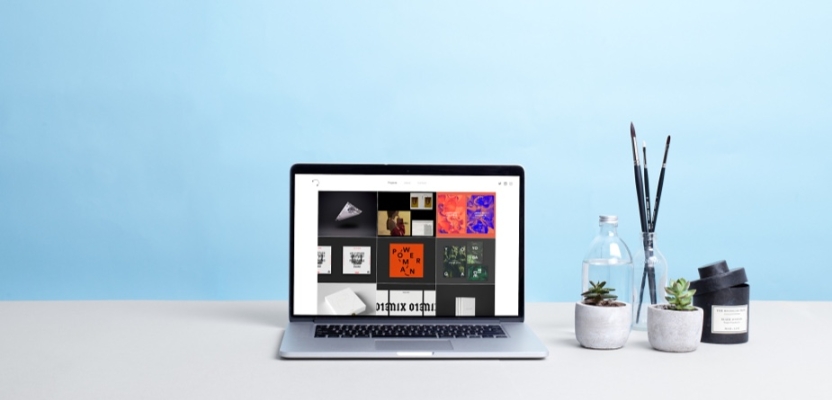

Hiring a web designer ought to be pretty simple. You find somebody whose own website makes an attractive first impression, admire a few tasteful mock-ups, ask whether they can make the logo slightly larger and wait for your new digital future to arrive.
Then the questions begin.
Who's writing the copy? Is the designer also building the site? Does “responsive” mean it works on every sensible screen or merely that the desktop design becomes narrower when somebody remembers to check it on a phone? Who's moving 600 existing articles, connecting the CRM, setting up analytics, securing the forms, redirecting the old URLs and teaching Sandra from accounts how to change a photograph without dismantling the homepage?
And who owns the domain?
A website is unusual because it is simultaneously a piece of communication, a product, a publishing system, a commercial tool and a continuing technical responsibility. It may need to explain an organisation, attract search traffic, generate leads, process payments, recruit staff, support customers, host content and persuade an anxious procurement director that the company probably does exist.
Its appearance matters enormously. So do the decisions beneath that appearance.
This is why choosing a web designer on taste alone is risky. A beautiful screenshot tells you very little about navigation, performance, accessibility, content management, search visibility or whether the contact form quietly sends every enquiry into an email account last opened in 2021.
The best web designers understand that their work is not a poster with links attached. They translate business goals into journeys, hierarchy, interaction and systems. They know when the brief needs a visual idea, when it needs clearer content and when it needs somebody to ask why the organisation has six separate pages saying almost the same thing.
They also understand the limits of their role. Some web designers are excellent visual and user-experience specialists who collaborate with developers. Some design and build complete sites themselves. Some work inside agencies with strategists, copywriters, researchers, SEO specialists and technical teams. The title alone will not tell you which version you are meeting.
Whether you are commissioning a small portfolio site, rebuilding an established company website or hiring a permanent designer into a digital team, the real question is not simply, “Do we like their work?”
It is, “Can this person help us make the right website, get it live properly and leave us with something we can actually use?”
These are the ten things worth looking for.
1. Start With What You Need From Your Website

Oliver Furze
Before deciding how to choose a web designer, decide what you are asking them to solve.
“We need a new website” is a project category, not yet a brief. It says nothing about the people the site is for, what those people need, what the organisation wants them to do or why the present website is failing.
Begin with the commercial and user problem.
Perhaps the company has changed and the website no longer explains it. Perhaps traffic is healthy but enquiries are poor. Perhaps customers cannot compare products, candidates cannot understand the culture or the marketing team needs a developer every time it wants to correct a comma. Perhaps the site is slow, inaccessible, difficult to find or held together by a plugin last updated when people were still impressed by QR codes.
Those are very different assignments.
Define the primary audience, the most valuable actions and the evidence you already have. Analytics, search data, customer questions, sales feedback, usability problems and internal publishing frustrations are considerably more useful than beginning with a debate about whether the new design should feel “premium but playful”.
Clarify the scale too. Are you improving an existing structure, redesigning the interface, moving to a new content-management system or replacing everything? Does the project involve e-commerce, booking, membership, multilingual content, complex integrations, large-scale migration or regulated information? Is the designer expected to provide strategy, research, user experience, visual design, development, content, SEO and ongoing support, or only part of that chain?
This will help you decide whether you need one versatile freelancer or a broader team.
A freelance web designer can be an excellent choice for a focused project with a clear scope, direct access to the decision-maker and manageable technical requirements. You may benefit from a close working relationship, lower overheads and the attention of the person doing the work.
An agency can make more sense when the project needs several disciplines at once, has substantial stakeholder complexity, involves demanding integrations or requires dependable capacity across strategy, design, development, content, testing and support. You are paying partly for the ability to assemble and coordinate that team.
Neither model is automatically better. A brilliant freelancer with trusted collaborators may outperform a large agency whose senior people vanish after the pitch. A compact specialist agency may be more attentive than an overloaded individual. Compare the actual people, process and responsibilities rather than treating headcount as proof of capability.
Creativepool’s guide to creative job titles and who to hire is useful here. A web designer, UX designer, UI designer, product designer, content designer and front-end developer may all contribute to the same website, but they are not interchangeable labels.
The clearer you are about the problem, the easier it becomes to recognise the right kind of designer.
If you brief only the object, you will receive quotes for an object.
If you brief the outcome, you can begin comparing people capable of producing it.
2. Look at Their Portfolio, but Go Beyond the Visuals
Rich Brown
A web designer’s portfolio should interest you visually. If the work leaves you entirely cold, there is no virtue in pretending aesthetics do not matter.
Just do not stop at the homepage image.
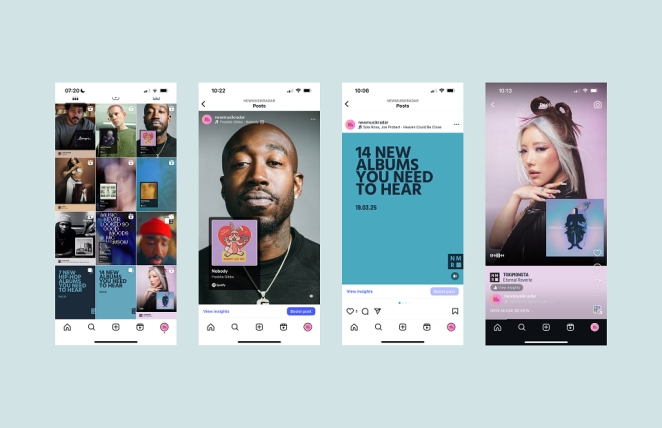
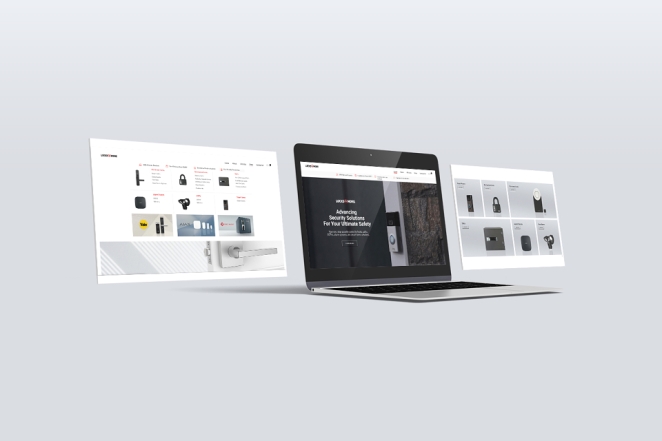
Portfolio presentations favour the cleanest moment: a desktop screen floating beautifully above a tasteful background, undisturbed by cookie notices, long product names, error messages, ageing content or real customers trying to complete a task on weak mobile signal.
Open the live sites where possible.
Use the navigation. Resize the window. Visit on a phone. Try the forms. Look at an ordinary content page rather than only the campaign landing page. Check what happens when a title wraps, a product is unavailable or a user needs to understand something rather than admire it.
The live experience may have changed since the designer handed it over, so do not automatically blame them for every later banner, plugin or executive intervention. Ask when the work was completed and what has happened since.
Then establish exactly what the designer did.
Did they lead discovery, information architecture, UX, visual design and prototyping? Did they adapt an existing brand system or create the digital expression? Did they build the site, work beside a developer or provide static layouts that another team interpreted? Who wrote the content, conducted the research, handled accessibility, managed the migration and measured the result?
Web projects are collaborative. There is nothing suspicious about a designer being one important contributor among many. The problem arises when a portfolio quietly claims the work of the entire production ecosystem.
Creativepool’s advice on what makes a digital portfolio stand out emphasises context, clear responsibilities and evidence of thinking. Apply the same standard when commissioning. A strong case study should help you understand the problem, the approach, the designer’s contribution and the outcome.
Look for relevant evidence rather than an identical client.
A designer does not need to have built a website for a left-handed organic radiator company before they can understand yours. However, if your project contains complex e-commerce, large information structures, member accounts or demanding content workflows, the portfolio should give you credible evidence that they can handle comparable complexity.
Ask what changed because of the work. Did users complete tasks more easily? Did conversion, engagement or qualified enquiries improve? Did support requests fall? Could the internal team publish faster? Did performance or accessibility improve? Not every project will have perfect numbers, and designers do not control every commercial result, but they should be interested in whether the website worked.
How do you know if a web designer is good?
Look for quality in four places: the visible design, the thinking behind it, the experience of using it and the evidence that it solved the agreed problem. The prettiest portfolio may still be the right one. It should simply survive more than a beauty contest.
3. Look for Relevant Experience, Skills and Qualifications
Mani Swiatek
Web designer qualifications can be useful evidence, but they are not a universal licence to practise.
Some excellent designers have degrees in graphic design, interaction design, computer science or related disciplines. Others have completed specialist courses, apprenticeships, professional certificates or years of self-directed practice. Because tools and platforms change quickly, a qualification may show a foundation without proving that somebody can solve the particular problem in front of you today.
The portfolio, process and conversation should carry more weight than the certificate alone.
Look for the combination of skills your project requires. That may include user research, information architecture, wireframing, interaction design, visual hierarchy, typography, responsive layouts, prototyping, design systems, accessibility, content structure, conversion thinking and enough technical understanding to collaborate intelligently with developers.
If the person is also building the website, the skills list changes. You may need front-end development, CMS configuration, database or back-end capability, integration experience, version control, testing, deployment, security and ongoing maintenance. “Web design” is often used to cover the entire production, but a person who can design a compelling interface is not automatically the person who should architect a complex booking platform.
Ask the candidate to describe the boundary of their expertise plainly.
What do they do personally? Which work is handled by partners? What do they not offer? When would they recommend a specialist? The ability to name a limitation is usually evidence of experience, not weakness.
Relevant sector experience can help when the designer needs to understand regulation, specialist audiences or established user expectations. It may reduce the learning curve in finance, healthcare, education, government or complex B2B markets.
It can also become a creative trap. A designer who has made the last twelve websites in your category may solve every problem using the same familiar architecture and visual cues. Sector knowledge is valuable when it brings judgement. It is less valuable when it merely brings templates with different logos.
Look for learning ability as well as prior knowledge. How does the designer enter an unfamiliar subject? How do they interview stakeholders, understand users and test assumptions? A credible method for learning your organisation may matter more than a client list containing a convenient neighbour.
Check the depth behind fashionable terminology. Anybody can place “UX”, “accessibility” and “conversion” in a capabilities deck. Ask for an example of a decision each discipline changed. What research altered the navigation? Which accessibility issue affected the component design? What conversion assumption was tested? Which constraint forced a compromise?
Strong web designer qualifications may reassure you that somebody understands established principles. Strong evidence shows that they can apply those principles when the brief becomes complicated, political and real.
Hire the person who can explain what they know, demonstrate what they have done and recognise what the project still needs from somebody else.
4. Understand How Their Web Design Process Works
Gwen Yap
A clear web design process protects both the quality of the work and the sanity of everybody involved.
The precise stages will vary, but you should be able to see a logical route from uncertainty to a working website. That route might include discovery, research, content audit, requirements, information architecture, wireframes, visual exploration, prototyping, development, content entry, testing, launch and post-launch review.
Do not judge the process by how many diagrams it contains. Judge it by whether each stage answers a necessary question.
Discovery should establish goals, audiences, constraints, stakeholders and success measures. Information architecture should organise the content and journeys. Wireframes should test structure before surface polish makes every decision emotionally expensive. Visual design should translate the brand into a usable system. Prototypes should reveal interaction. Development should turn approved decisions into reality. Quality assurance should confirm that reality survives browsers, devices, content and human behaviour.
Ask what the designer needs from you at each stage.
Who supplies content? Who attends workshops? Who can make decisions? Who consolidates feedback? When are sign-offs required? What happens if an approval is late or a stakeholder arrives in week nine with a completely new understanding of the business?
A strong web design process makes decision points visible. It should prevent the project from becoming an endless sequence of opinions attached to screenshots.
Find out how feedback works. Will you comment in a prototype, attend a review or receive a presentation explaining the rationale? How many revision rounds are included? What counts as a revision and what counts as a change in scope? Who decides when the work can move forward?
Beware a process that moves directly from a brief to a polished homepage. The homepage is emotionally satisfying, which is why it is often designed first. It is not necessarily where the hardest structural problems live.
Equally, beware process theatre. Your modest five-page website may not need a six-week discovery phase involving 28 interviews, an ethnographic study and a wall of sticky notes large enough to alter the building’s insurance. Method should match risk.
Ask how content is integrated. Designing with neat placeholder copy and adding real words at the end is a reliable way to discover that the organisation’s most important idea does not fit inside the beautiful component created for it. Content, structure and design should influence one another early.
Ask how assumptions are tested. Depending on the project, that might involve analytics, stakeholder interviews, user research, prototype testing, accessibility review or simply placing representative content into the design before approval.
Finally, establish what happens when the plan changes. Good process is not rigidity. It provides a controlled way to respond to new evidence without pretending that time and budget remain magically untouched.
You are not buying a branded sequence of workshops.
You are buying a way of making better decisions before expensive work becomes difficult to reverse.
5. Make Sure They Design for More Than Looks
Hendri Soerianto
A successful website must be attractive to the people it is for, understandable to the people who need it and usable by considerably more than the person approving the homepage on a large office monitor.
Ask how the designer thinks about users.
Can they explain the main journeys and decisions? Do they understand what information somebody needs before taking action? Can they create hierarchy without forcing every department to fight for the largest tile? Do they recognise the difference between a navigation label the organisation likes and one a visitor will understand?
Accessibility should be part of that thinking from the beginning.
The Web Content Accessibility Guidelines 2.2 provide an international standard for making web content more accessible, covering areas such as contrast, keyboard use, focus, target size, alternatives for non-text content and understandable interaction. A designer does not need to recite every success criterion from memory during the first call, but they should be able to explain how accessibility affects design and how the final site will be evaluated.
Ask for evidence in the portfolio. Can interactive elements be reached and understood without a mouse? Are focus states visible? Is text readable at different sizes? Are colour and contrast doing sensible work? Are forms labelled clearly? Does motion respect people who may find it distracting or harmful?
Automated checks can catch some problems. They cannot replace informed design, development and human testing.
Performance matters too. A design that relies on enormous media, excessive scripts and elaborate movement may look spectacular during the pitch and feel less impressive to somebody waiting for it on a phone.
Google’s current Core Web Vitals measure loading performance, interactivity and visual stability through Largest Contentful Paint, Interaction to Next Paint and Cumulative Layout Shift. You do not need to turn a creative review into a recital of acronyms, but the designer and development team should understand how design decisions affect real performance.
Responsive design is more than shrinking the desktop composition. Content priority, navigation, touch targets, forms, tables, images and interaction may all need to change across devices. Ask to see the less glamorous states: menus, errors, empty results, checkout, account screens and long-form content on small displays.
Search visibility should enter the conversation before launch. Google’s SEO Starter Guide describes SEO as helping search engines understand content and helping users discover it. A web designer is not necessarily an SEO specialist, but the project should account for crawlable navigation, meaningful structure, mobile content, page titles, redirects, image handling and the technical consequences of a platform or migration.
Then there is conversion.
Conversion design does not mean coating the website in buttons or turning every paragraph into an ambush. It means understanding the action the visitor is ready to take, removing unnecessary friction and giving them enough confidence to proceed.
The best designers balance brand expression, usability, accessibility, performance and commercial purpose. Those goals can create tension. That is precisely why judgement matters.
A website that looks good in a case study has passed one test.
A website that remains clear, inclusive, quick and useful in the hands of real people has passed the more important ones.
6. Find Out What You Will Actually Get
Dave Holloway
Web proposals often sound comprehensive until everybody discovers that they contain very different definitions of “website”.
Ask for a deliverables list.
Does the quote include research, sitemap, wireframes, visual design, responsive states, prototypes, a component library, development, CMS setup, content migration, copywriting, photography, illustration, animation, SEO, analytics, cookie management, integrations, testing, training, launch and support?
If something is not included, who is responsible for it?
Design and build are the most important words to separate. Some web designers produce the strategy, UX and interface files before handing them to a developer. Others create complete sites using a CMS, no-code platform or custom front end. Both are legitimate models. The contract needs to say which one you are buying.
If a separate developer is involved, establish who appoints and manages them. Has the designer worked with them before? When will feasibility be checked? Who resolves disagreement between the design and the implementation? A handover should not be the first time the person building the site discovers what has been promised.
Define the number and type of templates or components. “Ten-page website” sounds precise but may mean ten unique designs, ten content entries using three templates or a reusable system capable of producing hundreds of pages. Component-based sites are rarely priced sensibly by counting URLs alone.
Discuss content early. Who writes, edits, approves and enters it? Who sources images and checks permissions? Who decides what migrates from the existing site? Will the designer receive final content before layouts are approved, or is representative content being used deliberately while the writing develops?
Migration deserves its own scope. Moving a few brochure pages is different from preserving years of articles, product data, customer accounts, redirects, metadata and downloads. A redesign can succeed visually while destroying search traffic or losing useful content if the migration is treated as an administrative afterthought.
Specify integrations. Forms, payments, CRM, email marketing, booking, recruitment platforms, maps, search, social feeds, customer support and analytics may all require accounts, subscriptions, APIs, configuration and testing. “Connect HubSpot” is not a small grey box on a diagram. It is work.
Define testing too. Which browsers and devices are supported? Who checks accessibility, forms, payments, links, redirects, analytics, consent and performance? Who supplies test cases? What counts as a launch-blocking defect?
Finally, agree what documentation and training are included. A website is not complete merely because the people who built it know how it works.
The more specific the deliverables, the easier it becomes to compare quotes honestly. One proposal may look cheaper because it excludes content, development, migration and support. Another may include the team required to deliver the outcome you thought everybody was discussing.
Do not compare the total before comparing the contents.
7. Understand the Platform, Cost and Timeline
Cynthia Kittler
The proposed platform will shape what the website costs now, what it can do later and how dependent you remain on the person who built it.
Ask why the designer recommends it.
Perhaps a familiar open-source CMS suits the publishing needs and available support market. Perhaps a hosted platform gives a small team the simplest secure route to e-commerce. Perhaps a no-code system allows rapid iteration. Perhaps the organisation’s product genuinely needs custom development.
The fashionable answer is not automatically the correct one. Nor is the platform the designer happens to use for every project.
Discuss content editing, integrations, performance, security, accessibility, multilingual needs, hosting, backups, portability, licensing and future development. Who can support the system if the original supplier is unavailable? Are there recurring platform, plugin, theme, hosting or service costs? What happens if the organisation outgrows the chosen approach?
Template-based work is not inherently inferior. A good designer can use an established system intelligently, reduce unnecessary cost and concentrate effort where it creates value. The client simply needs to understand what is bespoke, what is configured and what limitations come with the choice.
Custom work is not inherently superior either. Bespoke code can be exactly right for an unusual requirement. It can also become an expensive private language understood by one developer who has since moved to a cabin without Wi-Fi.
Now examine the estimate.
What assumptions support the price? How many stages, meetings and revision rounds are included? Is content ready? Is migration included? Are third-party costs listed? Is VAT included where relevant? What are the payment milestones? How will additional work be approved and priced?
Fixed fees can give both sides useful certainty when the scope is clear. Day rates or phased estimates may be more honest when discovery will determine the eventual solution. Be suspicious of certainty that appears before anybody has asked a meaningful question.
Discuss the timeline as a chain of dependencies rather than a launch date floating heroically at the end of a proposal. When must content, access, approvals and feedback arrive? Which specialist is available when? Is there contingency for migration, integration or testing? What happens if the client misses an approval window?
Some red flags are obvious: an implausibly low quote, a promise to finish a complex site in days, pressure to pay everything upfront or refusal to explain recurring costs.
Others are more subtle. A designer may offer an attractive price by underestimating the content, relying on unconfirmed third parties or leaving every difficult activity outside the scope. The problem will not disappear. It will simply return later wearing the badge “additional work”.
Cost should reflect complexity, responsibility and the value of getting the decision right. You are not only buying hours spent moving rectangles. You are buying the research, judgement, system and implementation that make those rectangles useful.
Choose the proposal whose logic you understand, not automatically the smallest number at the bottom.
8. Make Sure You Will Not Lose Control of Your Website
Volodymyr Ozirnyi
The organisation should not discover after launch that its website, domain, analytics and customer enquiries are all technically owned by somebody called Dan.
Establish ownership and access before work begins.
The domain should normally be registered in the client organisation’s name and controlled through an account the organisation can recover. The National Cyber Security Centre’s guidance on managing public domain namesrecommends securing access to domain management, including two-step verification with the registrar.
Hosting, DNS, CMS administration, analytics, search tools, code repositories, email services, cookie platforms, payment accounts and third-party integrations should also have named owners. The designer may administer them, but the client should understand where they live, how access is recovered and what happens when the relationship ends.
Do not share one mysterious master login among nine people. Use individual accounts, suitable permissions, multi-factor authentication and a documented handover.
Then discuss intellectual property and licences.
Who owns the design files, code and commissioned assets? Are fonts, themes, plugins, photographs, illustrations and software licensed for the intended use? Can the client appoint another supplier to maintain or extend the website? Is any proprietary framework required to operate it?
Ownership does not always mean that every third-party component can be transferred without conditions. It does mean the agreement should make those conditions visible.
Ask for the source and working materials needed for continuity. Depending on the project, that may include design files, component documentation, source code, repository access, deployment instructions, content exports, redirect maps, credentials and a record of third-party services.
Backups should be defined rather than assumed. What is backed up, how often, for how long and by whom? Can the site be restored independently if the primary hosting account fails or is compromised? The NCSC advises organisations not to rely solely on built-in recovery mechanisms for critical data.
Clarify portability. Can content be exported in a usable form? What happens if the client wants to change host, platform or supplier? A hosted system may reasonably have platform limits. The important thing is to understand them before years of content and business process accumulate inside it.
Watch for lock-in disguised as convenience. “We manage everything for you” can be a valuable service. It can also mean the organisation has no direct access, no documentation and no practical route out.
A professional supplier should not be threatened by sensible continuity planning. They should help create it.
The website is a business asset. The relationship may be warm, collaborative and long-lasting. The access arrangements should still survive somebody changing jobs, falling ill, being acquired or deciding that what they really want to do is make ceramics in Portugal.
9. Pay Attention to How They Communicate Before You Hire Them
Mag. Vladimir von Bergdorff
The sales process is the first small version of the project.
Notice what the designer asks, how they listen and whether they can turn ambiguity into useful questions. Do they want to understand the audience, content and business goal, or do they move immediately towards colours and references? Can they explain technical choices without using jargon as a velvet rope?
Strong communication does not mean agreeing with everything.
A good designer should challenge assumptions when those assumptions will damage the work. They might question the proposed navigation, the amount of homepage content, the platform, the launch date or the belief that every internal department deserves equal prominence.
The challenge should be connected to evidence and the brief. “I don’t like it” is a preference. “This label will not tell users where the information lives” is a useful design argument.
Ask how they handle feedback. Can they separate personal taste from user need? Can they explain the consequences of a change? Can they recognise when the client has supplied important information rather than treating every comment as creative interference?
Observe responsiveness, but do not confuse instantaneous email with professional communication. A designer may be doing focused work rather than operating a 24-hour help desk. What matters is whether they set expectations, meet agreed response times and make the next step clear.
Pay attention to the proposal itself. Is it specific to your project? Are responsibilities, exclusions and assumptions understandable? Does the designer explain who will work on the account? If an agency presented a brilliant senior team, will those people remain involved after the contract is signed?
References can reveal what the polished process cannot. Ask previous clients whether the designer prepared properly, managed scope, raised problems early, met the launch, supported the team and delivered the promised access and documentation. “Would you hire them again?” is often the most productive question.
What are the red flags when choosing a web designer?
Be cautious when somebody promises guaranteed rankings, cannot show live work, refuses to identify collaborators, recommends a platform without understanding the requirements or talks only about how the site will look. Watch for vague ownership terms, unexplained recurring charges, an absence of testing, hostility towards accessibility, no route for scope changes and communication that becomes elusive as soon as you ask a specific question.
Creativepool’s guide to red flags when hiring creatives makes an important point: detailed project evidence and clear hands-on contribution are more reliable than polished claims.
Also pay attention to your own behaviour. Designers cannot communicate effectively into a client structure where five stakeholders give separate instructions, nobody owns the decision and feedback arrives as a forwarded screenshot with the words “thoughts?”
Good collaboration is designed too.
10. Know What Happens After Your Website Goes Live
Lee Stuart Shepherd
Launch is a milestone, not the moment a website becomes immortal.
Browsers change. Platforms update. Security vulnerabilities appear. Content grows. Staff leave. Integrations fail. Somebody uploads a 14MB team photograph and wonders why the homepage has become reflective.
Ask what happens immediately after launch.
Is there a warranty or defect-fixing period? What counts as a bug and what counts as a new request? Who monitors forms, payments, redirects, analytics and search indexing? Is there a rollback plan if something serious fails?
Then discuss ongoing maintenance.
Who applies CMS, plugin and dependency updates? Who checks backups? Who monitors uptime, security and performance? Who renews licences and certificates? Who responds when a third-party integration changes? How quickly are urgent problems addressed, and what does that support cost?
Some organisations need a maintenance agreement. Others have an internal technical team and need a clean handover. A small hosted site may require relatively little specialist support. The correct model depends on risk, complexity and internal capability.
Training should reflect the work people will actually do. Show editors how to create pages, manage navigation, prepare images, use components, preview changes and recover from common mistakes. Provide guidance that survives longer than a recorded call nobody can find.
Establish governance. Who may publish? Who approves structural changes? How will the component system remain consistent? What happens when the marketing team needs a new landing page that does not fit the original patterns?
Measurement matters after launch too. Agree what success means and when it will be reviewed. That might include qualified enquiries, conversion, search visibility, task completion, engagement, publishing efficiency, accessibility findings, performance or reduced support demand.
Do not expect the designer to guarantee commercial outcomes controlled by price, proposition, traffic, sales process and countless other factors. Do expect the project to create a sensible measurement plan and a route for improvement.
The best post-launch relationship is not endless dependence. It is appropriate support combined with enough access, training and documentation for the organisation to operate confidently.
A finished website should not be a sealed object handed across the table.
It should be a working system with clear owners, maintainers and next decisions.
How to Compare Different Web Designers Fairly
Ted Vesania
Web design is subjective, but the selection process can still be disciplined.
Begin by defining the criteria before the most fashionable portfolio enters the room. These might include relevant project evidence, strategic thinking, UX, visual quality, accessibility, technical approach, content capability, process, communication, platform fit, support, timeline and commercial clarity.
Weight them according to the project.
A five-page campaign site may place unusual emphasis on visual expression and speed. A university website may care more about content architecture, accessibility, governance and migration. An e-commerce redesign may require product discovery, conversion, performance, integrations and operational resilience.
Give shortlisted suppliers the same core brief, constraints, access to information and opportunity to ask questions. Ask comparable questions, then record evidence rather than relying on who produced the most charming chemistry call.
Creativepool’s guide to assessing creative candidates recommends defining criteria in advance and separating observable evidence from personal similarity. That approach works equally well for freelance and agency selection.
Do not reduce the decision to a spreadsheet. Record what makes each candidate distinctive, which risks they remove and where their approach could improve the brief. A score can organise judgement. It should not impersonate it.
If you request a speculative design exercise, keep it proportionate and paid where the work is substantial. A portfolio, process discussion, references and response to the brief should usually provide enough evidence to create a manageable shortlist. Asking six suppliers to redesign the homepage for free is not a selection method so much as an ideas buffet.
Compare the full commercial proposition. Normalise what is included, identify assumptions and calculate recurring costs. A higher estimate may include research, content, development, testing and support that another has left to the client.
Finally, speak to the people who will actually do the work. Agency credentials can be excellent. The project will be experienced through the specific strategist, designer, developer and account lead assigned to it.
The best choice is the person or team whose evidence, method and terms fit the website you genuinely need, not the supplier who most perfectly mirrors the taste of the person making the decision.
Questions to Ask a Web Designer Before Hiring
Chris Zammit
The most useful questions to ask a web designer are the ones that reveal decisions, boundaries and responsibility.
Ask which portfolio project is most relevant to your brief and why. Ask what they personally did, what changed during the process and what evidence suggests the final site worked. Ask what they would want to learn before recommending an approach to your project.
Ask them to explain their web design process in practical terms. What happens first? When are content, structure and visual design addressed? Who approves each stage? How are feedback and scope changes handled? What does the client need to supply, and by when?
Ask who will work on the project. Is the designer also the developer? Which collaborators or specialists will be involved? Who is responsible for accessibility, performance, SEO, migration, content, testing and launch?
Ask about the platform. Why does it suit the requirement? What will it cost to run? Who can support it? How portable are the content and code? What limitations should the client understand now rather than in two years?
Ask what is included in the estimate and what is not. Clarify deliverables, meetings, revisions, third-party costs, payment milestones, timing assumptions, cancellation, delays and additional work.
Ask about ownership, licences and access. Who controls the domain, hosting, CMS, analytics and repositories? What files and documentation will be handed over? What happens if you change supplier?
Ask how the site will be tested and maintained. Which devices and browsers are covered? How are accessibility and performance evaluated? What support, training, backups and post-launch review are included?
Then listen to the questions the designer asks you.
Curiosity about the audience, content, business model, internal team, technology and long-term ownership is one of the clearest signs that somebody is thinking beyond the screenshot.
Using Creativepool to Find a Web Designer
Dan Westwood
Creativepool gives brands and agencies a useful place to begin with the work rather than the sales promise.
The Creativepool talent directory allows commissioners to search a global creative community by role, skills, experience, sector, location, clients and other relevant factors. Profiles can combine portfolios, project explanations, employment history and recommendations, making it easier to understand both the visible result and the person behind it.
Search with the brief in mind. “Web designer” is a starting point. Add the specialism, market or problem that matters: e-commerce, UX, B2B, editorial, accessibility, responsive systems, product design, interaction, development or another relevant combination.
Open complete projects rather than judging profile thumbnails. Look for live links, context, role clarity, process and outcomes. Read recommendations for evidence of how the person collaborates and delivers, not simply whether everybody thought they were lovely.
Creativepool’s existing guide to hiring a web designer provides a useful introduction to the role, while the platform’s hiring and project routes can help you build a shortlist or advertise a specific requirement.
If you post a project, write a brief the right designer can recognise. Include the organisation, audience, problem, main functionality, likely scope, existing platform, content situation, timing, budget range and disciplines required. State whether you need design only, design and build, or a wider team.
Do not ask applicants to price a mystery. A useful response depends on useful information.
Creativepool can improve discovery and make evidence easier to compare. It cannot decide what your website is for or persuade eight internal stakeholders to agree on the navigation.
That part remains with you.
Should You Design Your Own Website?
Joana Pereira
There is, of course, one final candidate you may be considering for the job.
You.
Hiring a web designer is not the only legitimate route to a new website. Modern website builders allow individuals and small organisations to create something professional without writing code or assembling a development team.
For the right brief, designing your own website can be the most sensible decision.
The right brief is usually clear, contained and relatively low-risk. A freelancer may need a portfolio, biography, contact route and a few case studies. A small consultancy might need a straightforward explanation of its services, some proof and an enquiry form. A temporary campaign may only require a focused landing page. If the content is manageable, the functionality is familiar and one person can make decisions, a template-led builder can remove a great deal of unnecessary production weight.
But DIY software does not remove the work. It redistributes it.
If you design the site yourself, you are also taking responsibility for the brief, content, structure, user journeys, visual hierarchy, accessibility, search foundations, image preparation, mobile behaviour, analytics, testing and maintenance. The builder may prevent the footer from floating into space. It cannot decide what the homepage needs to say or whether a potential customer can understand the offer before losing interest.
Start with purpose and content, not the template gallery. Decide who the site is for, what that person needs, what action matters and which material supports it. Sketch the page structure in plain words before selecting a layout. Otherwise, the demonstration site will begin making strategic decisions on your behalf because its enormous photograph of a mountain looked convincing.
Choose the platform according to the website you can realistically maintain. Ask whether you can edit pages easily, manage metadata, connect analytics, export or retain your content, use your own domain and add the functions you are likely to need. Check the recurring fee, paid extensions and any commission or transaction costs. The cheapest route at launch is not necessarily the cheapest route once the site needs to grow.
Then impose some design discipline. Use a restrained type system, a small colour palette, consistent spacing and a clear hierarchy. Templates are most useful when you allow them to behave like systems. If every section uses a different treatment because the menu offered 46 exciting possibilities, the site will gradually acquire the visual coherence of a community noticeboard.
Test it as though somebody else made it. Use a phone, a keyboard and more than one browser. Enlarge the text. Check contrast, forms, images and links. Ask somebody unfamiliar with the organisation to explain what the site offers and what they would do next. Familiarity is generous to unclear design; real users are not.
There is also a point at which doing it yourself becomes false economy. Complex e-commerce, payments, personal data, account areas, large migrations, advanced search, unusual integrations, accessibility-critical services and websites responsible for substantial revenue all create risks a polished template cannot resolve by looking calm. If failure would damage customers, compliance, reputation or the business itself, specialist help is usually worth buying.
The choice does not have to be binary. You might build the initial site and pay a designer for a review. You could commission brand identity and copy, then assemble the approved system yourself. A designer might create the structure, components and key pages before training your team to maintain them. A developer could handle integrations while you control the content. Good web design projects often combine professional expertise with confident client ownership.
So how do you know whether designing your own website is realistic? Ask the same question this article recommends asking about any supplier: does the proposed method fit the problem?
If the website is primarily a clear, portfolio-led or informational presence and the available tools support what you need, DIY can be efficient and empowering. If you are already developing elaborate workarounds before the site exists, you have probably found the point at which a professional stops being an indulgence and starts being the cheaper decision.
Where Creativepool’s SiteSpace Fits
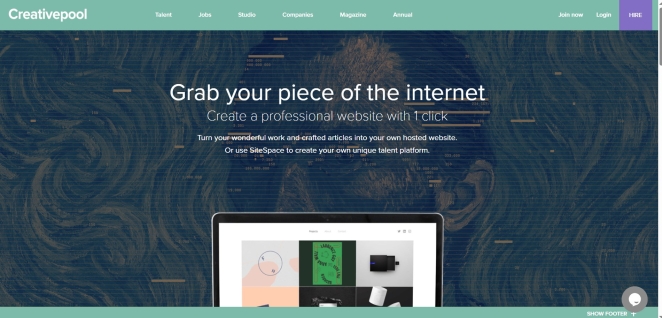
For creative professionals, independent talent and smaller studios, Creativepool’s SiteSpace offers a particularly useful middle ground between commissioning a bespoke website and beginning with an entirely blank website builder.
Its most important feature is not simply that it provides layouts. SiteSpace can create a website from the projects and articles already published on your Creativepool profile, then keep the two synchronised. Add new work or publish another article on Creativepool and the website updates with it. That removes one of the least glamorous parts of running a portfolio site: remembering that the version everybody visits has not been touched since the project you described as “recent” celebrated its third birthday.
The setup is deliberately accessible to people who do not know HTML or CSS. Users can choose a layout, customise fonts, colours and backgrounds, connect social profiles and publish a responsive site designed to work across computers, phones and tablets. A site can use a sitespace.co address or a domain you already own. Creativepool’s SiteSpace help centre also explains the available SEO settings, Google Analytics integration and the practicalities of changing layouts or connecting a custom domain.
This makes SiteSpace especially relevant when the website’s primary job is to showcase creative work, communicate a professional identity and provide a credible destination for potential clients, employers or collaborators. A designer, writer, illustrator, photographer, animator, creative director or compact studio may already have most of the necessary raw material on Creativepool. SiteSpace turns that material into a more independent web presence without asking the user to reconstruct every project in another content management system.
The synchronisation matters because a website is only useful while it remains alive. Plenty of people can summon the energy to build a portfolio once. Far fewer enjoy maintaining the same work across a profile, website, PDF folio and several other channels that all require slightly different image dimensions and an afternoon they do not have. Reducing that duplication makes regular updates considerably more likely.
It is still important to understand the brief. SiteSpace is a strong fit for a portfolio, personal site, creative company showcase or talent platform. It is not a substitute for a custom product, a complex e-commerce operation or a website requiring highly bespoke journeys and integrations. Ease should be matched to the requirement rather than treated as evidence that every requirement has become easy.
Nor does automation replace curation. You still need to choose the work that represents you, explain your contribution, order projects intelligently and keep the profile itself current. Synchronising ten weak case studies merely allows them to disappoint people in two places at once.
Used with judgement, however, SiteSpace answers a very real need. It gives Creativepool members a quick route from having work online to having a coherent website of their own, while retaining control over its appearance, address and presentation. For somebody whose main obstacle is not creative ability but the time and technical friction involved in building another platform, that can be exactly the right web design process.
Hire the Designer Who Leaves You With a Better Website
Nicholas Lokasasmita
The right web designer is not simply the person with the most cinematic portfolio, the newest toolset or the greatest ability to use the word “ecosystem” without visible discomfort.
They are the person who understands what the website must achieve and who it must serve.
They can turn those requirements into structure, journeys, content and a distinctive visual system. They know that accessibility, performance, mobile behaviour and search are not technical decorations to be attached after the design has received applause.
They can explain the web design process, identify the specialists the project needs and make the deliverables, costs and responsibilities understandable. They challenge weak assumptions without treating collaboration as a threat to their artistic purity.
They also think beyond launch.
The organisation retains the access, knowledge and practical control required to operate the website. The platform is appropriate. The site can be maintained. The content can evolve. The relationship is valuable because the designer has created confidence, not dependence.
So look at the portfolio, obviously. Respond to the craft, the taste and the ideas. A website is a visible expression of the organisation and deserves a designer capable of making it feel coherent, distinctive and alive.
Then look beneath it.
Ask what problem the work solved, how the decisions were made, how real users were considered and what happened after the launch. Ask what the designer personally controlled, where they need partners and whether the commercial proposal describes the same project you believe you are buying.
Hire the web designer who can make the website look better.
More importantly, hire the one who can make the website work better.