
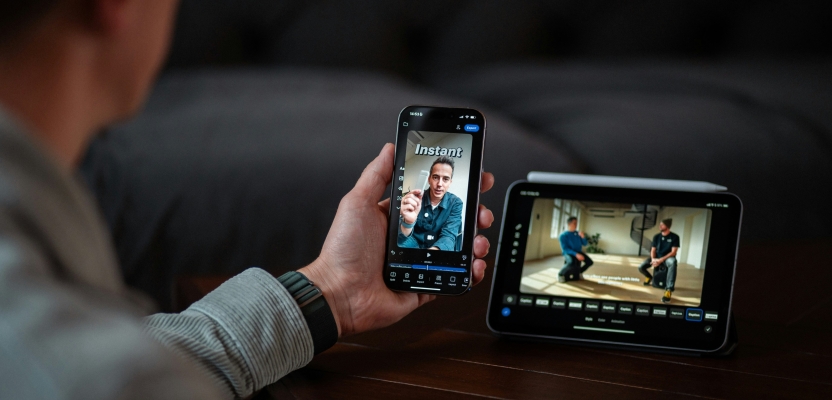

Editing "on the road" used to be a compromise, now it's almost a production strategy: shoot, edit, refine, and deliver from a phone while traveling from one location, meeting, train, and hotel to another. The secret is to think of mobile editing as a real process, with a few guidelines that will make sure the footage is kept in order, the quality is maintained, and the deadline is met.
The first step in a good process is to choose a good video editor, one that will support fast cuts, audio corrections, titles, and exports without turning the process into a technical exercise. Then, the idea is to minimize the number of places where the footage might get lost, the number of times the battery might run out of juice in the worst possible moment, and the number of exports that look great on a phone screen but look terrible on a laptop screen.

Capture With The Edit In Mind
Portable post production starts before the record button. When shooting on a phone, the biggest time-saver is making decisions that protect the edit later.
First, lock consistency. Select a frame rate and stick with it throughout the day, whenever possible. Mixing frame rates is possible, but it adds more steps in the export process or makes the footage look choppy when edited together. The same logic applies to resolution: it helps to shoot in one main format so the timeline stays predictable.
Second, record “handles.” It’s very tempting to use very tight cuts, as storage space is valuable, but very tight starts and stops are very painful. A good trick is to let the camera roll two seconds before the action and two seconds after.
Third, capture sound like it matters, because it does. Viewers forgive a slightly imperfect image faster than messy audio. If a small wired lav mic or compact wireless mic is available, it changes everything. Even without extra gear, moving closer to the speaker, avoiding windy corners, and recording a separate voice note for narration can save a project.
Finally, shoot with “coverage” that matches mobile editing reality. A phone-based pipeline loves simple building blocks: wide shot to establish, medium shot to explain, close-up to emphasize, and a few detail inserts to hide cuts. Those inserts are also the easiest way to make short-form content feel intentional.
File Hygiene That Prevents Chaos
Most portable editing problems are storage problems wearing a creative mask. The key is building a naming and backup habit that works under pressure.
A lightweight structure is enough:
- Create one folder per project and one subfolder per shooting day
- Keep originals separate from exports
- Save the music, logos, and thumbnails in a special “assets” folder
- Export versions with a naming convention such as “ProjectName_V03_1080x1920”
If the phone’s camera app puts all the footage in one camera roll, move the selects into the project folder as soon as possible. That one step prevents the classic situation where the right clip exists somewhere, yet it cannot be found quickly.
Backups are the second half. A portable pipeline needs redundancy because phones get stolen, dropped, and filled up. The best habit is a “two-place rule”: footage lives on the phone and also in a cloud drive or on a small external SSD. When the internet is slow, copying to a tiny SSD through a phone-compatible adapter is a life-saver.
For an authoritative take on why organization and backup practices matter in production, Frame.io’s blog often covers real-world post workflows and collaboration pitfalls in clear language.
Editing In Micro Sessions

The biggest advantage of mobile editing is the ability to work in short bursts. Ten minutes on a train can become a clean rough cut. Five minutes in a lobby can become a text pass. The secret is breaking post production into tasks that fit those time windows.
A practical micro-session sequence looks like this:
- Select pass
Quickly mark the best takes and delete obvious mistakes. This reduces mental load later. - Rough cut
Place clips in story order, trim dead space, ignore polishing. The only goal is flow. - Clarity pass
Tighten pacing, remove repeated lines, add cutaways to hide jump cuts. - Audio pass
Balance levels, reduce background noise, add music quietly under dialogue. - Text and graphics pass
Add captions, callouts, simple lower thirds, brand colors if needed. - Export and review
First, watch the video with headphones. Then, view the footage without headphones. Pay close attention to the first two seconds and the last two seconds.
This approach keeps progress visible. This mirrors the way we use our phones. We get interrupted, and the process should account for this.
In terms of pacing, the mobile timeline is friendly to bold decisions, a little bolder than what we would do on a desktop. Trimming a pause by half a second often makes the edit feel more confident. Swapping a long transition for a clean cut can make the story feel sharper. Portable post production is about momentum.
Color And Sound Without Overthinking
Phones today capture impressive footage, yet the moment clips from different lighting conditions meet, the edit can look inconsistent. Portable color work should be simple and repeatable.
A clean baseline is more valuable than a dramatic look. Correct exposure and white balance first. Add a little contrast and perhaps a small amount of saturation adjustment if necessary. The goal is to have skin tones that look natural and a scene that makes sense. Over-stylized grading tends to break faster across devices and social platforms.
Sound deserves the same treatment: simple, consistent, controlled. Aim for clear dialogue and music that supports it. If the edit includes voiceover, the best practice is recording it in a quiet space, even a car with windows closed. Then apply light noise reduction and a gentle limiter so volume stays steady.
For deeper learning on audio, compression, and why certain settings help speech stay intelligible, iZotope’s blog is a strong reference that stays practical while explaining the “why.”
In order to keep the editing process moving on the phone, create a series of “audio presets” in your mind. One for dialogue cleanup, one for voiceover, and one for music bed. While the editor may not allow actual presets, the benefit of repeating the same steps from project to project is that the quality remains consistent.
Delivery That Looks Good Everywhere
Exporting is where portable workflows either shine or disappoint. One reason for this is that the screen of the phone may conceal problems that are immediately visible on other devices. A good approach to review is to export the file and review it in at least two different contexts, for example, the phone and the laptop screen, or the phone and the TV screen.
A few rules for delivering will prevent surprises along the way:
- Export in the platform’s preferred aspect ratio and avoid heavy cropping later
- Keep titles inside safe margins so they do not get cut off in-app
- Use readable font sizes for captions since many viewers watch without sound
- Watch the first seconds carefully because drop-off is brutal in short-form feeds
Portable post production also benefits from “version thinking.” Instead of trying to produce a single, flawless export for all platforms, produce two or three standard exports, vertical for Shorts and Reels, square for some feeds, and horizontal for YouTube or a portfolio page. The edit will be the same, but some of the details will vary depending on the context.
On the business side, this is where speed becomes a creative advantage. Being able to produce a clean first version of the project quickly will minimize the feedback loops, and this, in turn, will produce better results. This is one of the hidden benefits of working within a mobile pipeline. There is less waiting and more iteration.
In the middle of this last-mile process, if a quick edit is required before delivering, the option of the mobile App Store will prove useful for edits that must happen away from the desk.
Portable post production is ultimately a mindset. It’s an approach that considers a phone as a production and editing station, and then develops habits around this, including regular capture, file hygiene, micro-session editing, color and sound, and exports, all of which are done in the same way every time. When done well, it’s like a superpower – the ability to move, create, and deliver without the work ever losing its edge.